Helloooo,
Another Fun program in python i will call it a Rangoli Pattern Generation
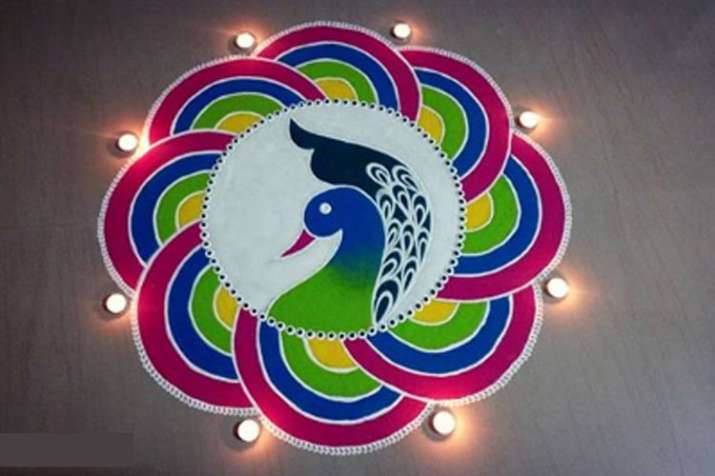
Rangoli is an art form in India were various colors and patterns are created mostly during festivals and are really beautiful .It will look like this
Suggestion: Do go through these links before beginning fun programming
1.Turtle Race Game using python: https://wordpress.com/block-editor/post/aweigh.family.blog/36
2.Draw a circle and change its color : https://wordpress.com/block-editor/post/aweigh.family.blog/51
3.Draw a Circle in the shape of 8 or circle in different angles: https://wordpress.com/block-editor/post/aweigh.family.blog/55
Draw circles of different Radius in Different colors in different Angles
Step 1.Write the below code or Copy and paste it or modify it according to your requirement
from turtle import*
speed(0)
goto(0,0)
for step in range(1):
    ada = Turtle()
    ada.color('red')
    ada.shape('circle')
    ada.circle(100,360)
    ada.color('blue')
    ada.shape('circle')
    ada.circle(120, 360)
    ada = Turtle()
    ada.color('yellow')
    ada.shape('circle')
    ada.circle(140,360)
    ada.color('black')
    ada.shape('circle')
    ada.circle(160, 360)

for step in range(1):
    mut = Turtle()
    mut.penup()
    mut.goto(0,0)
    mut.pendown()
    mut.right(180)
    mut.color('Magenta')
    mut.shape('circle')
    mut.circle(100,360)
    mut.color('Green')
    mut.shape('circle')
    mut.circle(120, 360)
    mut.color('violet')
    mut.shape('circle')
    mut.circle(140,360)
    mut.color('black')
    mut.shape('circle')
    mut.circle(160, 360)
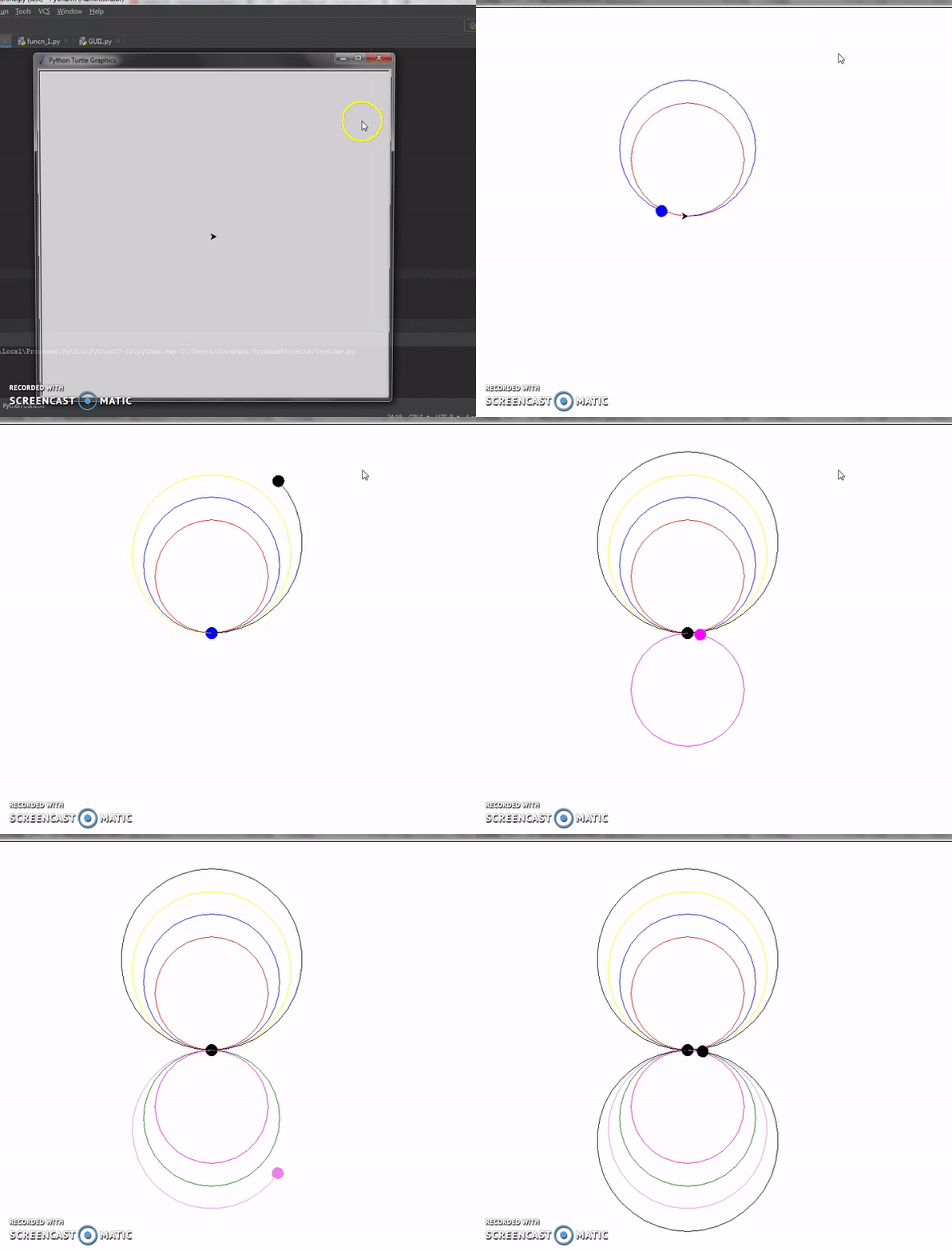
Run the above code and the output will look like this:This is why i called it Rangoli pattern
Lets just improvise our rangoli a bit
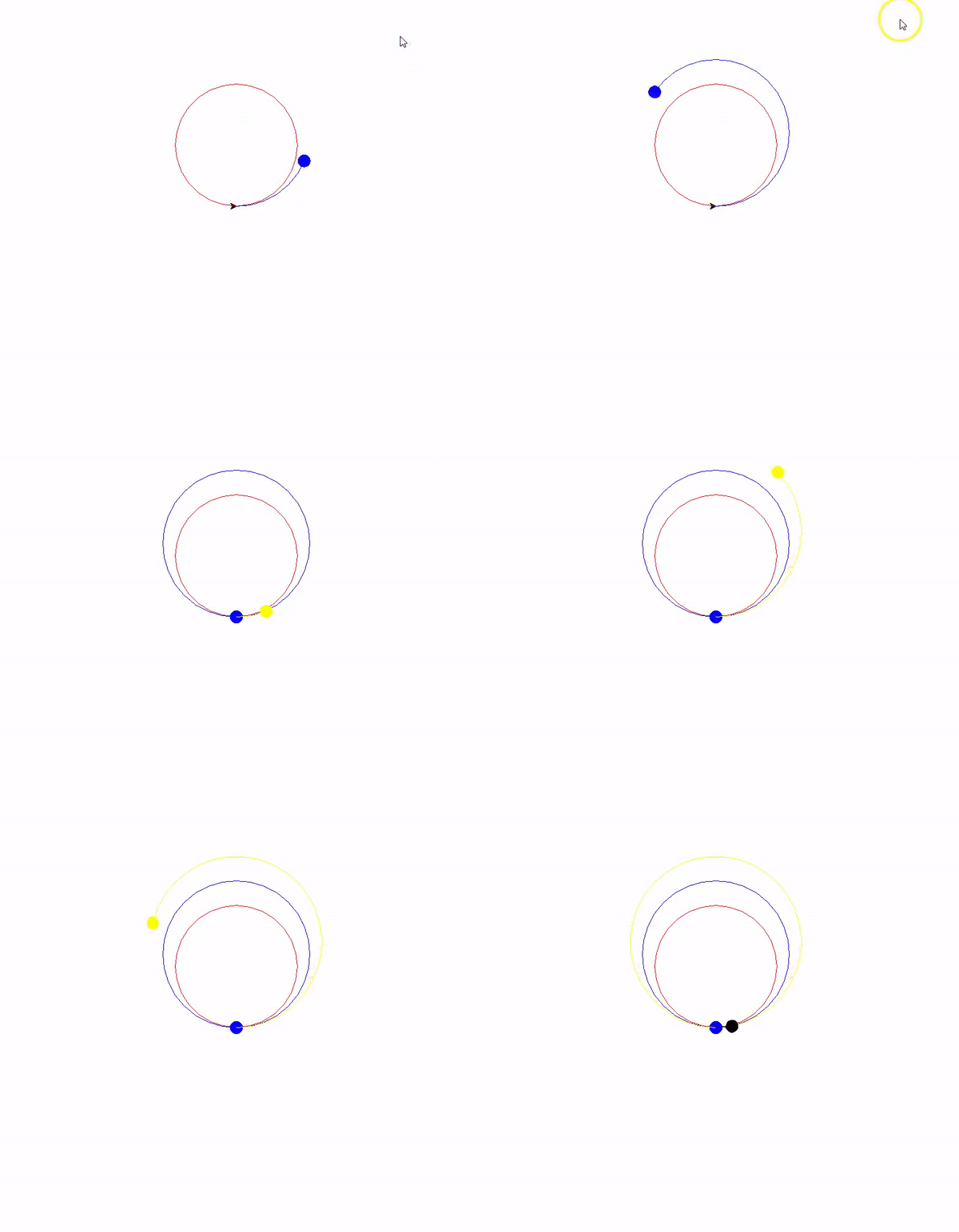
just by playing between left-right,colors and angles
See my Rangoli Pattern
Code for above Rangoli Pattern Generation :
from turtle import*
speed(0)
goto(0,0)
for step in range(1):
ada = Turtle()
ada.color(‘red’)
ada.shape(‘circle’)
ada.circle(100,360)
ada.color(‘blue’)
ada.shape(‘circle’)
ada.circle(120, 360)
ada = Turtle()
ada.color(‘yellow’)
ada.shape(‘circle’)
ada.circle(140,360)
ada.color(‘black’)
ada.shape(‘circle’)
ada.circle(160, 360)
for step in range(1):
mut = Turtle()
mut.penup()
mut.goto(0,0)
mut.pendown()
mut.right(180)
mut.color(‘Magenta’)
mut.shape(‘circle’)
mut.circle(100,360)
mut.color(‘Green’)
mut.shape(‘circle’)
mut.circle(120, 360)
mut.color(‘violet’)
mut.shape(‘circle’)
mut.circle(140,360)
mut.color(‘black’)
mut.shape(‘circle’)
mut.circle(160, 360)
for step in range(1):
mut = Turtle()
mut.penup()
mut.goto(0,0)
mut.pendown()
mut.right(270)
mut.color(‘orange’)
mut.shape(‘circle’)
mut.circle(100,360)
mut.color(‘purple’)
mut.shape(‘circle’)
mut.circle(120, 360)
mut.color(‘cyan’)
mut.shape(‘circle’)
mut.circle(140,360)
mut.color(‘Black’)
mut.shape(‘circle’)
mut.circle(160, 360)
for step in range(1):
tit = Turtle()
tit.penup()
tit.goto(0,0)
tit.pendown()
tit.left(270)
tit.color(‘lawngreen’)
tit.shape(‘circle’)
tit.circle(100,360)
tit.color(‘lightcoral’)
tit.shape(‘circle’)
tit.circle(120, 360)
tit.color(‘lightblue’)
tit.shape(‘circle’)
tit.circle(140,360)
tit.color(‘black’)
tit.shape(‘circle’)
tit.circle(160, 360)
Run it and enjoy………
Watch the program running video in you tube
Create your own patterns and through modifications and enjoy programming
NEED More colors to use in your program go to this site https://www.webucator.com/blog/2015/03/python-color-constants-module/
Share me your codes and patterns with me also ………..at
nearuestimate@gmail.com
Even it can be published in this blog if you are interested and if the pattern is interesting
 Freshness Blog
Leave a comment